Assigning Employees to Employee Groups
Employees are assigned/re-assigned to Employee Groups via the Company profile section.
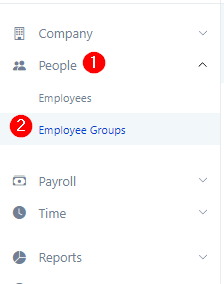
1. Go to People in the left navigation bar then Employee Groups
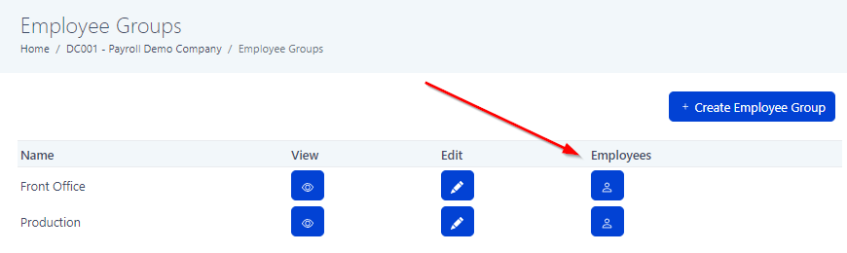
2. Select the Employees icon next to the group you would like to update
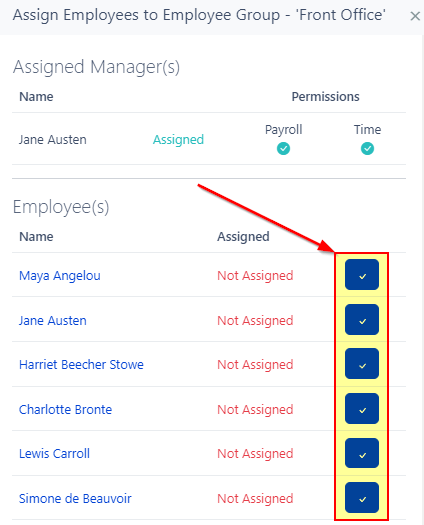
3. Click the blue box to the right of each employee you would like to Add or Remove from the group
4. Update